Remote Timers & Prompters for Live Events
Keep every speaker on time, every time. Get professional countdown clocks, presenter notes, and prompters you can control from your phone or laptop.
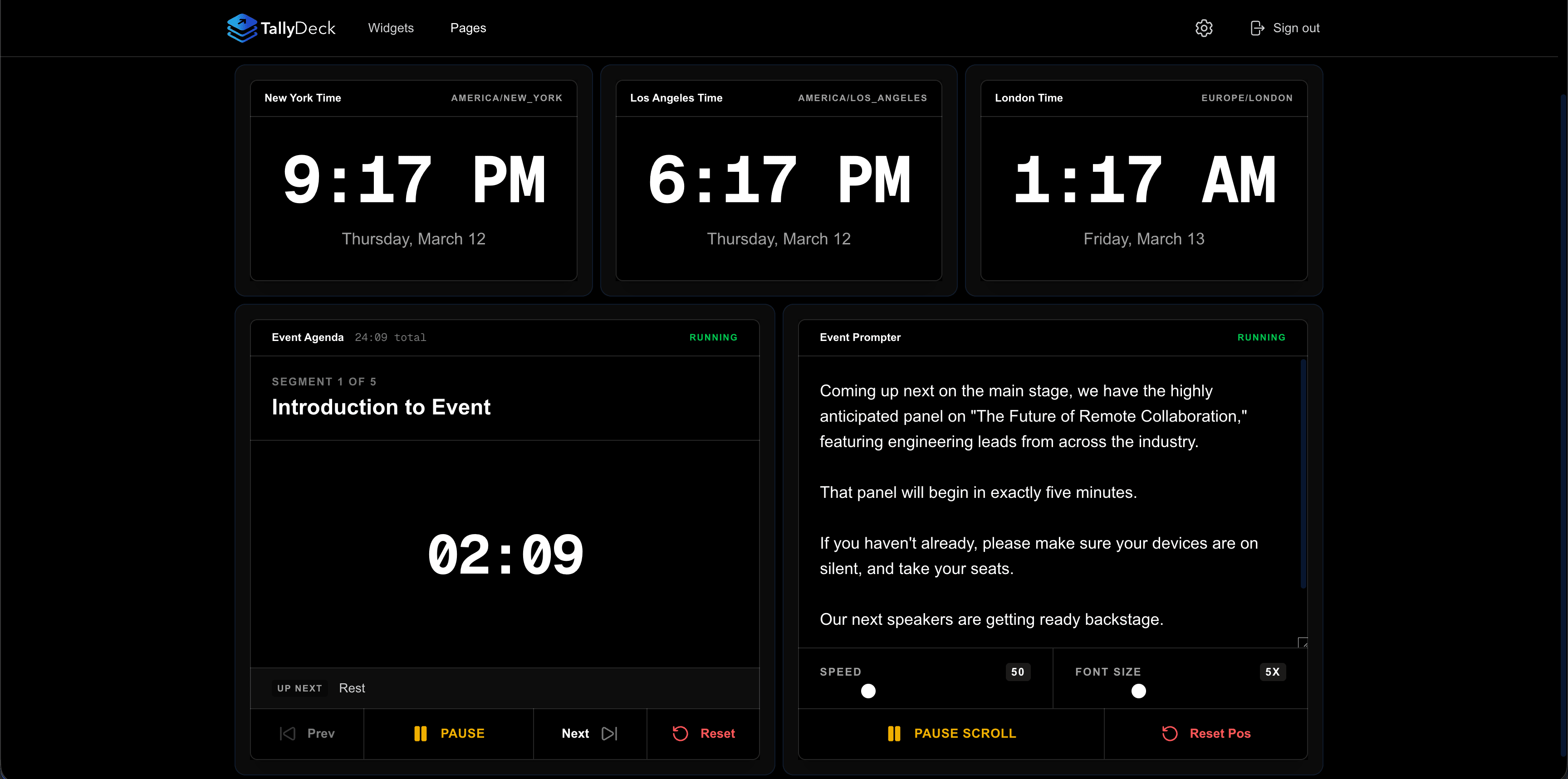
Who is this for
Designed for your workflow
Purpose-built tools for the distinct needs of every production environment.
Corporate Events
Keep CEOs and panel guests strictly on their scheduled time slots.
Houses of Worship
Seamlessly guide your speakers with clear prompters and countdowns.
Live Streamers & Podcasters
Control your own show flow with a private dashboard on your secondary monitor.
Anyone Else
If you need a remote widget displayed simultaneously on multiple screens, TallyDeck is built for you.
Complete Control
A specialized screen for every stage of your event
Give your talent exactly what they need to stay on track—without the clutter.
Timers & Countdowns
Count up, count down, or display the current time. Keep your speakers strictly to their allotted schedule.
Notes
Send direct, silent messages to your stage talent.
Prompters
Large format text for easy reading from a distance.
NEXT UP:
JOHN DOE
Custom Speaker Screens
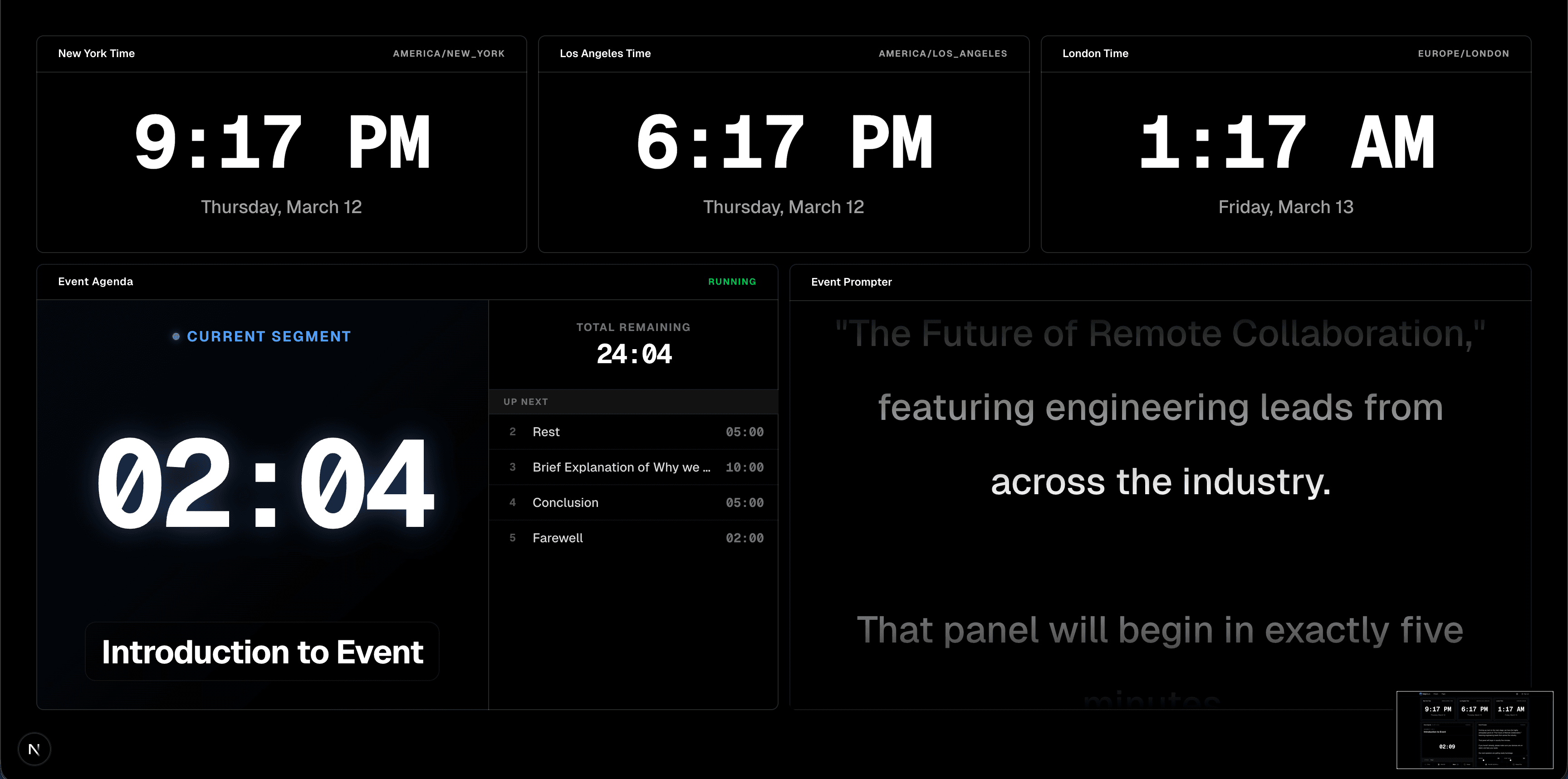
Drag and drop perfectly synced timers and prompters into a single view your presenters can easily read from the stage.
Complete Widget Library
Everything you need to run a flawless show, ready to use out-of-the-box.
Agenda
Multi-segment run of show
Scoreboard
A new Scoreboard widget.
Countdown
Count down from a set duration
Pomodoro
Work/break intervals
Prompter
A simple teleprompter
Counter
A simple counter with controls
Notes
Send messages to display
Stopwatch
Count up from zero
World Clock
A new World Clock widget.
Todo List
A trackable checklist of tasks.
Ditch the manual work
Before TallyDeck
- • Holding up "5 Minutes Left" paper signs
- • Shouting from the back of the room
- • Dealing with expensive SDI cable runs for a hardware clock
With TallyDeck
- One iPad on a stand, running flawlessly synced timers controlled from a browser.
Workflow
How it works
Three simple steps to command your screens.
Choose
Select the specific timers, prompters, and notes your event needs.
Arrange
Drag and drop elements to build a distraction-free speaker screen.
Master
Start the clock and update prompters in real time from the tech booth or your phone.
Built for Production
Connects to the gear you already use.
No app downloads required.
Simply share a web link and open it on any device.
Interactive Demo
Try it right now.
See the zero-latency sync for yourself. Click 'Start' to test the remote control.
Remote Control
Pricing
Pricing plans for teams of all sizes
Choose the plan that fits your production size. All the tools you need to keep your live events running flawlessly.
All plans include a 7-day free trial. No credit card required.
Basic
Perfect for content creators and streamers.
$9/month
- Up to 25 widgets
- Up to 10 pages
- Custom layouts
- No watermarks
- Direct feature input
Pro
Most popular
Advanced features for studios and event productions.
$29/month
- Up to 50 widgets
- Up to 25 pages
- Custom layouts
- No watermarks
- Direct feature input
Ready to command your stage?
Elevate your live events with reliable countdowns, clear prompters, and instant presenter notes designed for modern stage production.